This article provides a guide for routine maintenance to perform on your downriggers and what steps to take to winterize at the end of the season. Note: We highly recommend that you always consult your downrigger's user manual for product-specific care instructions. Find comprehensive guides and more information at https://cannon.johnsonoutdoors.com/us/support/manuals
JUMP TO:
- How to Clean Your Downrigger
- Downrigger Cable and Boom Inspection
- Downrigger Base and Mount Maintenance
- Rod Holder Maintenance and Cleaning
- Electric Downrigger Maintenance
- How to Store a Downrigger for End-of-Season or Longer-Term Storage
- Update Your Downrigger Software (Cannon Optimum Only)
- Resources
How to Clean Your Downrigger
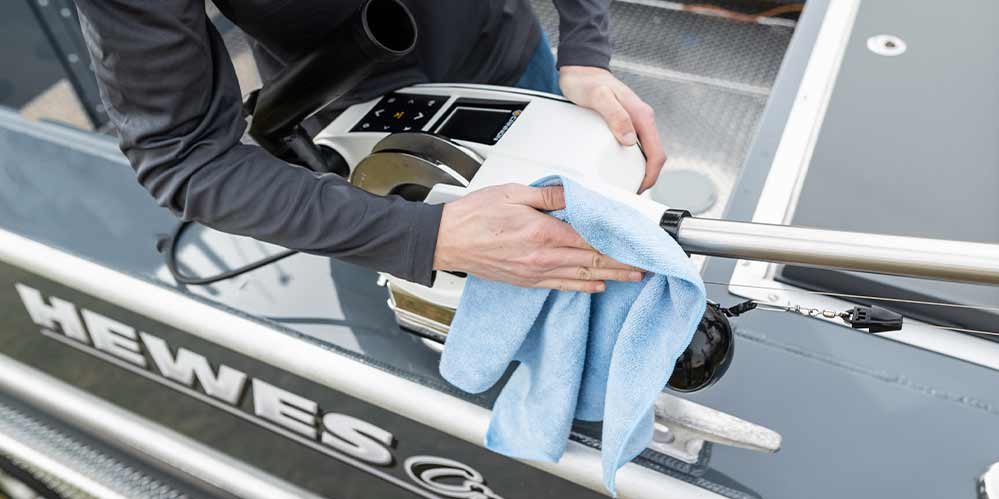
- Over time, grime and debris can accumulate, and cleaning your downrigger is the first step in keeping it running smoothly. We recommend following these helpful tips to clean your downrigger effectively:
- Materials Needed:
- Microfiber or soft cloth
- Water-based multi-purpose cleaning solution
- Glass cleaner
- Melamine foam cleaning sponge
- Grab a bottle of multipurpose cleaner or another water-based* silicone spray, apply to a soft cloth, and wipe down the exterior of the downrigger, including the boom and base.
- A melamine foam cleaning sponge is a great alternative to cleaning the exterior housing of the downrigger as well!
Downrigger Cable and Boom Inspection
All Cannon downriggers come pre-spooled with Stainless Steel Cable in various lengths and strengths. Working together with the cable, your boom length determines how far from the side of your boat your weight drops.
Cannon downriggers come with both telescoping and fixed booms. There are a couple tips below to ensure the longevity of these components:
- Inspect the downrigger cable to ensure there are no frays or kinks in the cable
- Inspect the boom and pulley to ensure there are no cracks or damage
Frequency:
- At the beginning of the season, and monthly during use
- If you do find that your cable needs replacement, you can find everything you need on our website. Get your Stainless-Steel Downrigger Cable from Cannon today.
Downrigger Base and Mount Maintenance
Our universal and low-profile bases featuring heavy-duty composite or stainless steel construction provide strong mounting options while allowing easy removal of the downrigger. Follow these simple inspection tips to ensure your downrigger is ready to hit the water whenever you are:
No special tools are required for this inspection! Examine the downrigger base for signs of stress cracks, dry rot, or cracking. This scan is especially important for boats kept outdoors all summer, as the sun and elements can weather your gear.
Frequency:
- Twice yearly: once as you prepare your gear for storage at the end of the season, and once when you’re prepping your boat for the season to come.
Rod Holder Maintenance and Cleaning
Cannon’s aluminum and composite rod holders keep your fishing rods stable and your trolling spread versatile. They pair seamlessly with our family of downriggers to make controlled depth fishing efficient and easy.
Materials Needed:
- Microfiber or soft cloth
- Water-based multi-purpose cleaning solution
- Melamine foam cleaning sponge
Using a multipurpose cleaner or another water-based* silicone spray, apply to a soft cloth and wipe down the exterior of your rod holders. A melamine foam cleaning sponge is a great alternative to cleaning the exterior of your rod holders as well!
Frequency:
- Freshwater downriggers: every few uses
- Saltwater downriggers: After every use to avoid saltwater buildup/corrosion (rinse rod holders with freshwater after saltwater use, then proceed with cleaning steps listed above)
- *Important: make sure the spray chosen is water-based, NOT oil-based. Avoid wood polish spray as it contains oil.
- We also recommend inspecting the rod holders for cracks or loose parts occasionally throughout the season.
Electric Downrigger Maintenance
- If you own an electric downrigger, such as the Cannon Optimum™ or Magnum, there are a couple additional maintenance steps to consider:
- Clean battery connection of any corrosion
- Check the battery terminals and wires for corrosion. Give them a quick clean with fine sandpaper or emery cloth and replace any corroded wires
- Check cable caps to ensure they’re secured on the connector ends, especially if disconnected for long periods of time
- For electric downriggers with LCD display screen, clean the display screen with a glass cleaner solution like Windex.
- Clean battery connection of any corrosion
How to Store a Downrigger for End-of-Season or Longer-Term Storage
In order to prepare your downrigger and its accessories for storage after a successful fishing season, there are a few additional steps you can take to ensure the long life of your products.
- Perform all applicable steps above
- Unplug your electric downriggers from the battery
- If you store your boat outside, consider removing your downriggers from the boat/mounts and store them in a safe place, such as a garage or basement
- Check cable caps to ensure they’re secured on the connector ends, especially if disconnected for long periods of time
- For added protection, cover your downriggers with Cannon's professional-grade downrigger covers, available in black and white colors.
Update Your Downrigger Software (Cannon Optimum Only)
Cannon Optimum is the smartest downrigger on the water, made even smarter by our commitment to continuous improvement. Follow these 3 easy steps to get up to speed and out to fish:
Software Update Steps
- Get the App
- You can send software updates from your mobile device directly to your downriggers with the Cannon Mobile App.
- Find Your Update
- Once you download the app, select “Software Update” from the menu. If an update is available, you will see it on the screen. Select the update and download it to the Cannon app.
- Send it to your Downrigger
- Once the update is available, the screen will display a “Transfer” button. Double check that your Optimums are powered on and connected to the network, and tap the Transfer button. The downrigger and app will alert that the software update is transferring. Once complete, the Optimum will reboot and your software will be updated.